Classroom management & engagement

Replace the wall charts. Keep the teaching.

Classroom Hub is a classroom management tool that replaces wall charts, homework lists, and grade spreadsheets with one teacher app. Morning dashboard, Classroom Screen, weighted gradebook, class points, and reward store share one hub so teachers stop juggling disconnected systems before 9am.

my.classroomhub.app
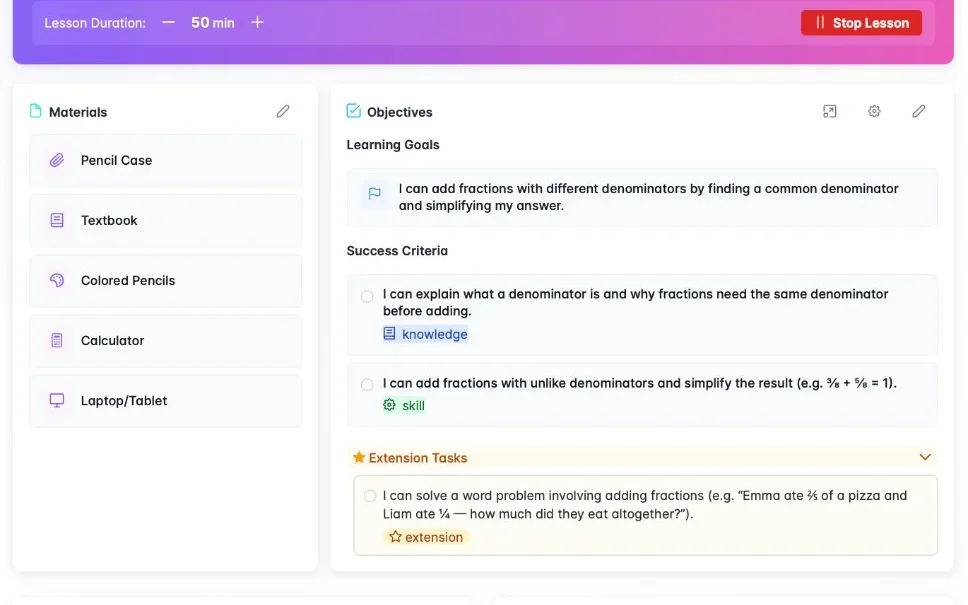
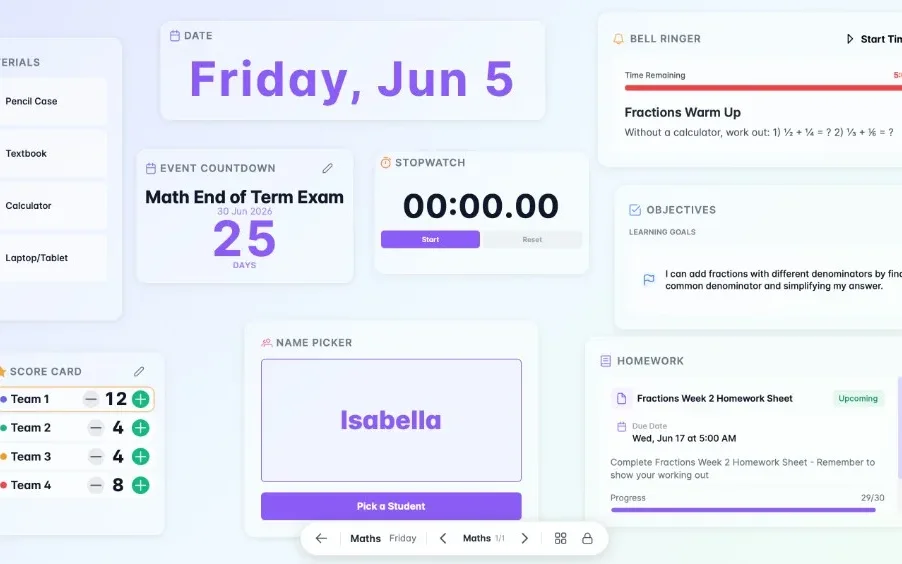
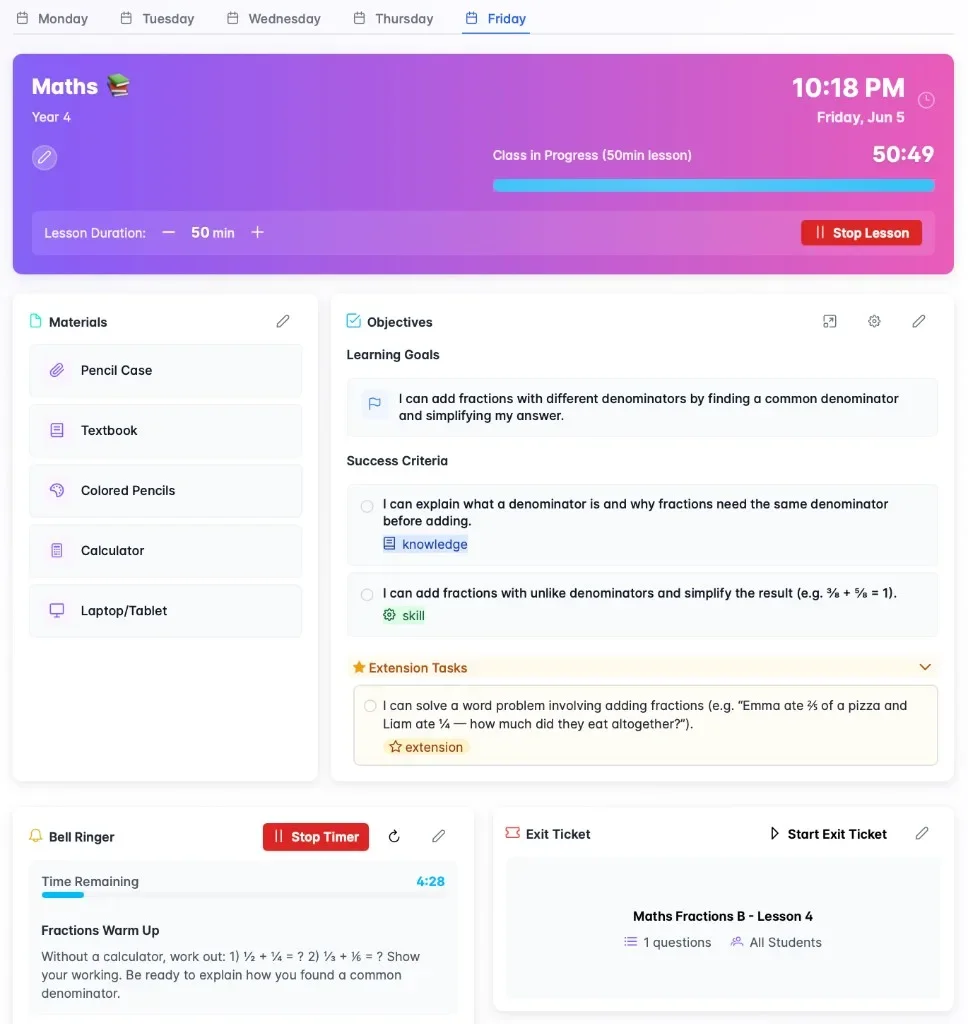
Lesson widgets with materials, objectives, bell ringer, and exit ticket
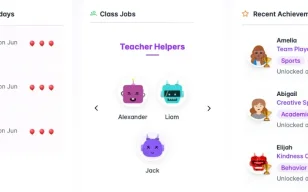
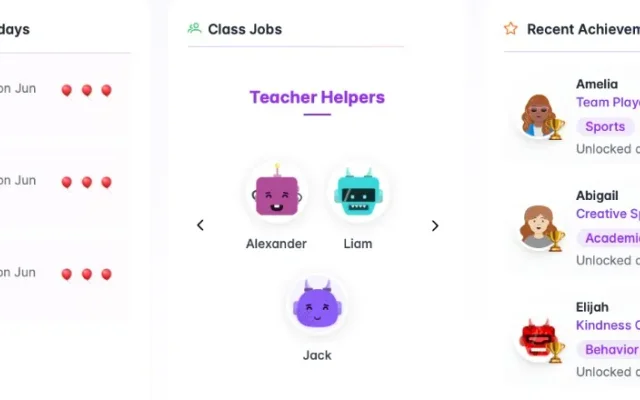
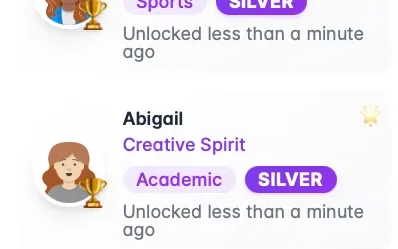
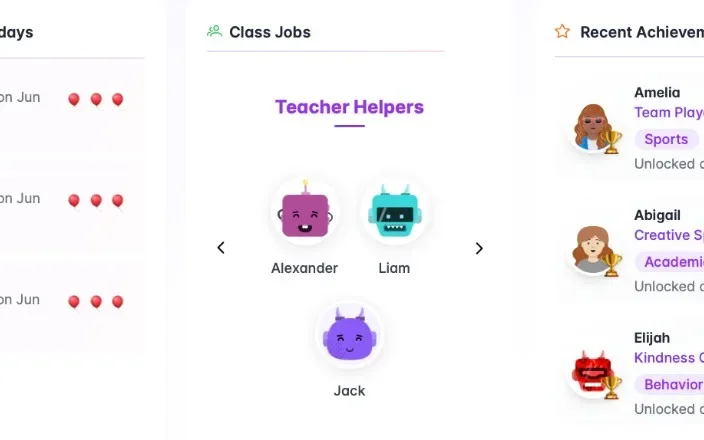
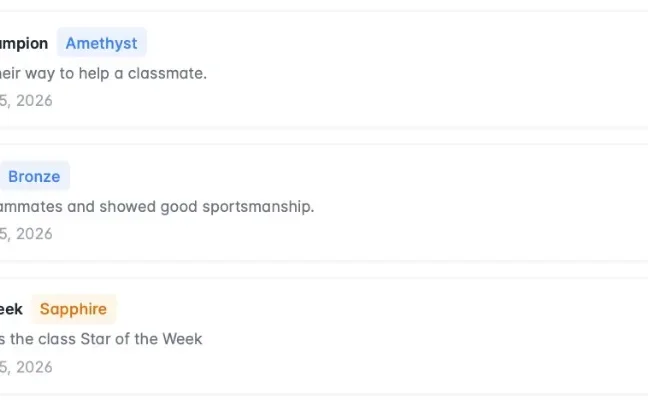
Dashboard widgets for birthdays, class jobs, and recent achievements
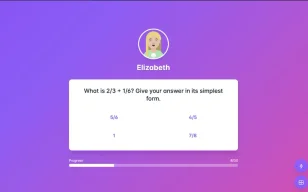
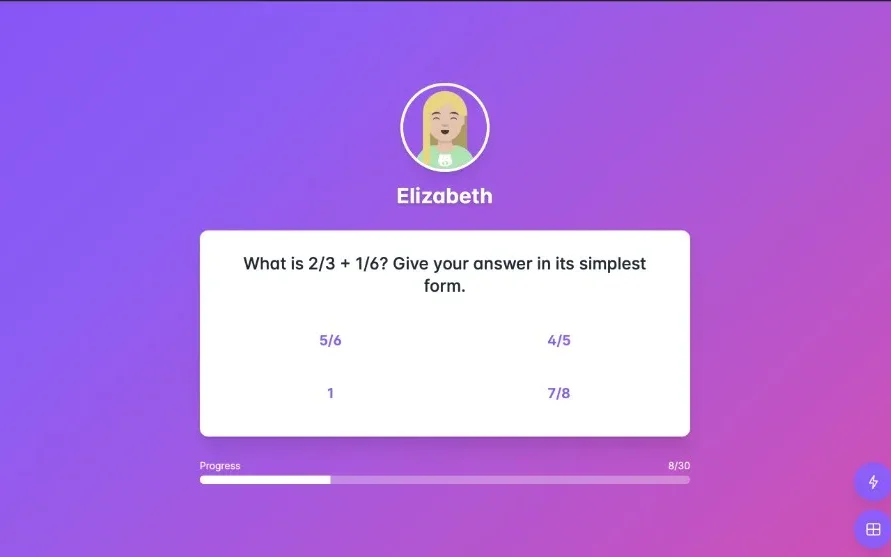
Student answering an exit ticket on Classroom Screen
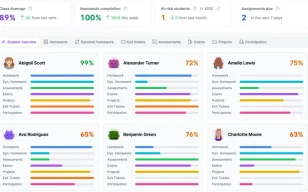
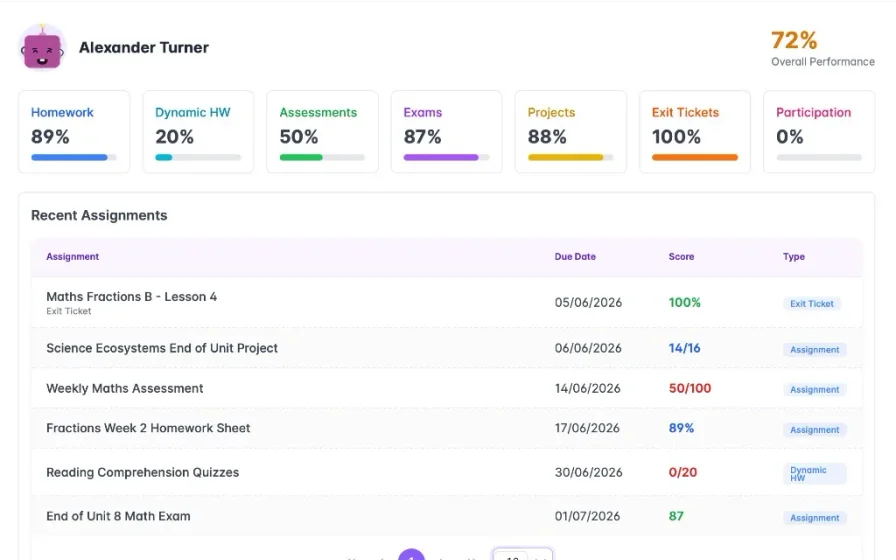
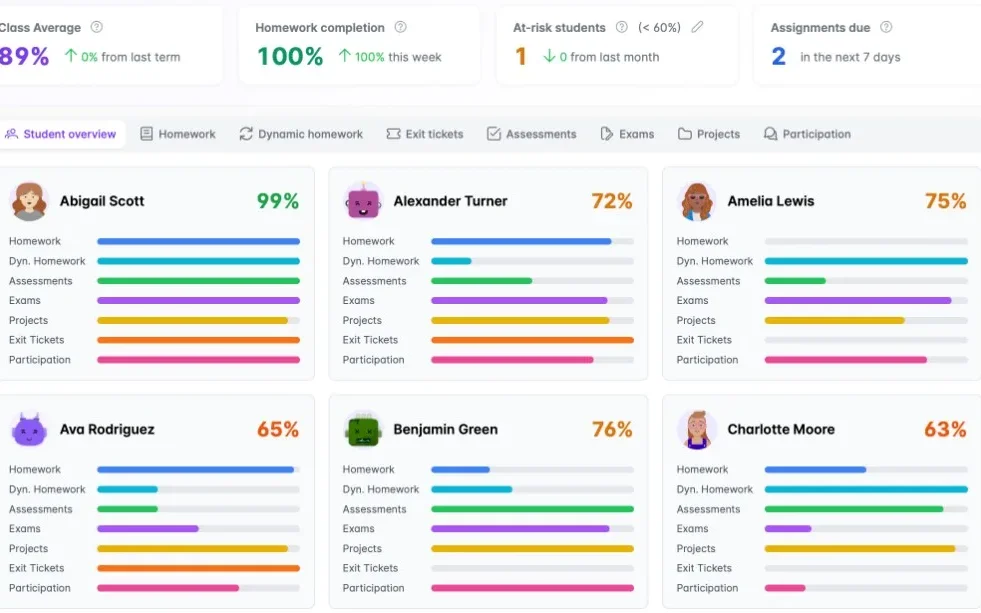
Gradebook overview with class averages and category progress
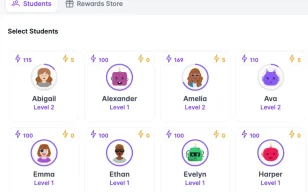
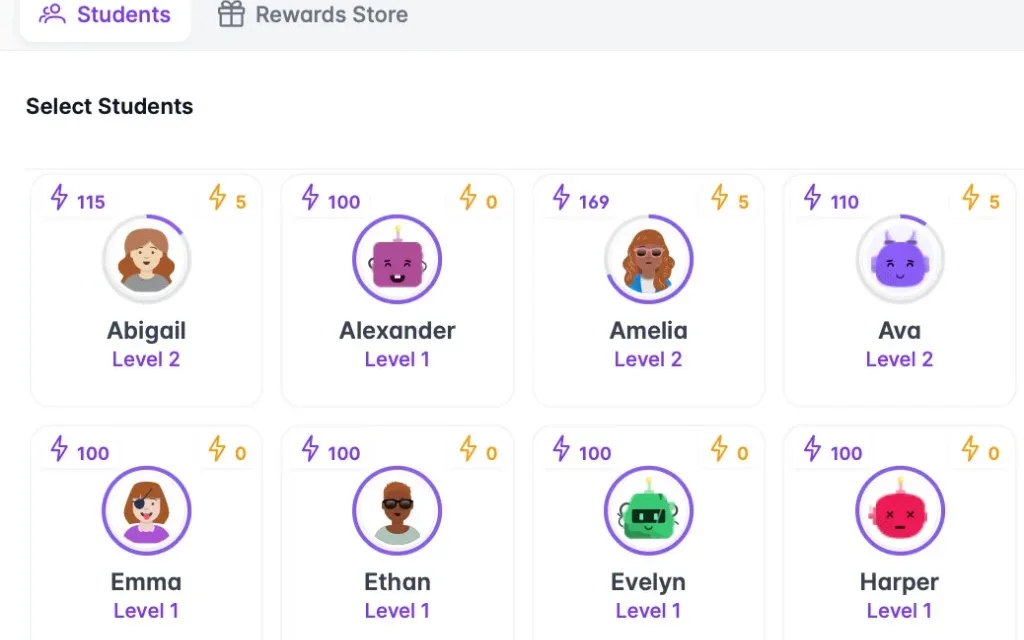
Select students to award class points
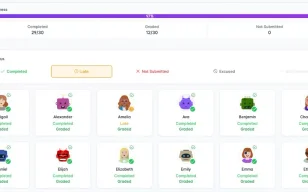
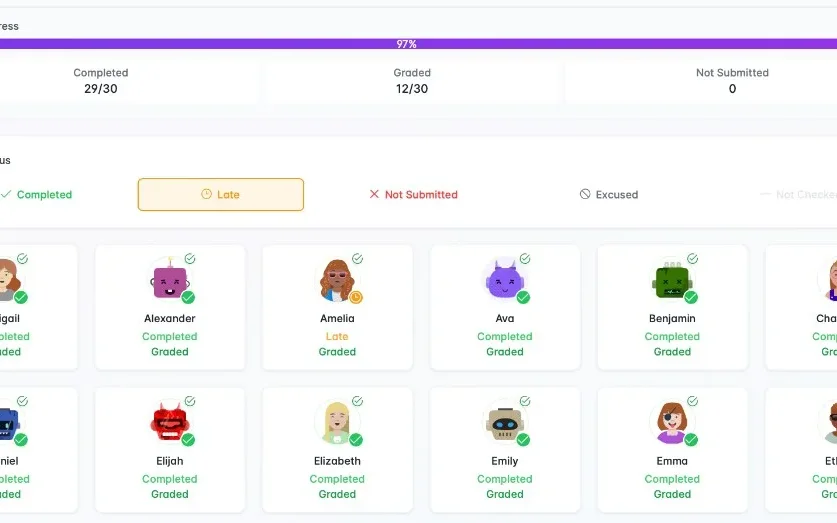
Morning homework check-in with class progress
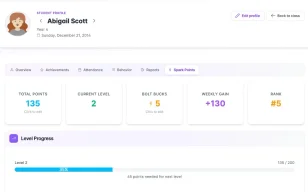
Student class points profile with levels and reward store balance
  • Class dashboard

    Birthdays, homework check-in & class jobs before the bell

  • Classroom Screen

    Objectives, exit tickets & name picker on the board

  • One gradebook

    Homework, exams & exit tickets connected — not a spreadsheet

  • Class points & reward store

    Award points students spend on rewards they choose

Flagship features

See how it works

Classroom Hub deep dives show how each flagship feature replaces a classroom wall system or spreadsheet. Every workflow — dashboard, lesson widgets, seating, exit tickets, gradebook, behaviour, and class points — connects in one hub instead of separate charts and notebooks.

Classroom and teacher dashboards

Classroom Hub class and teacher dashboards replace birthday charts, jobs boards, timetables, and personal planners with one screen. Teachers see birthdays, class jobs, achievements, class points, and today's schedule before the bell without updating four separate wall systems.

The old way
You walk in and check four separate things — a birthday chart, a jobs board, a printed timetable, and your own planner — before teaching has even started.
With Classroom Hub
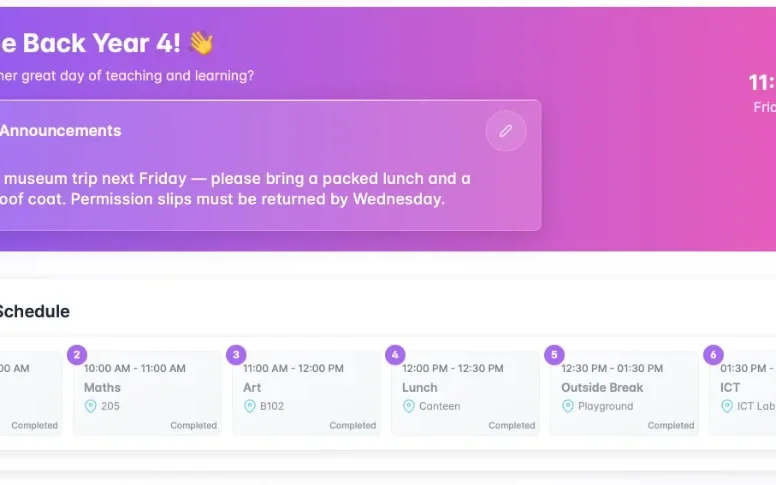
Open your class hub and see today's timetable, announcements, birthdays, jobs, recent achievements, and the class points leaderboard. Your personal teaching schedule is right there too — one screen instead of four.
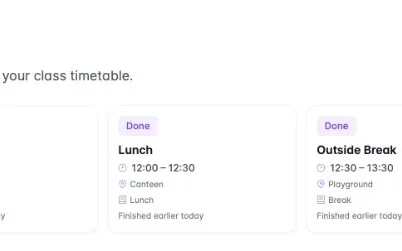
Class home with announcements and today's class timetable
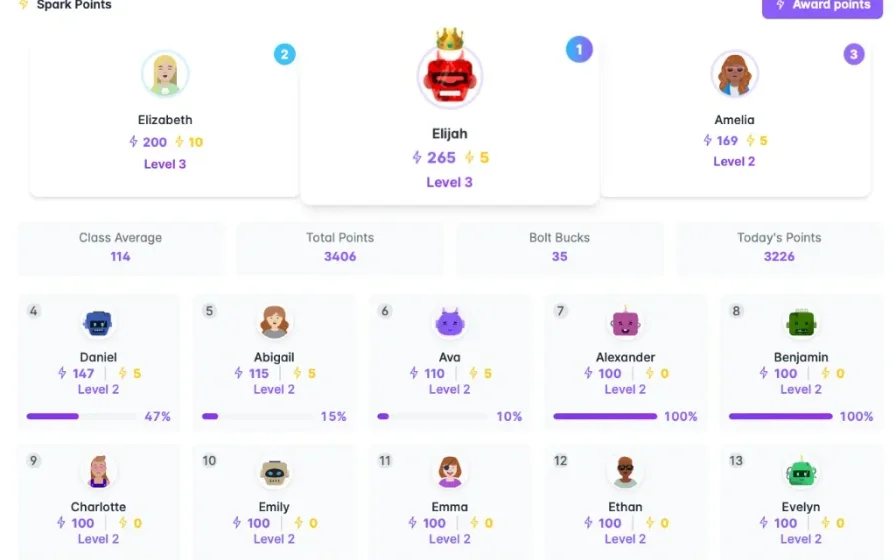
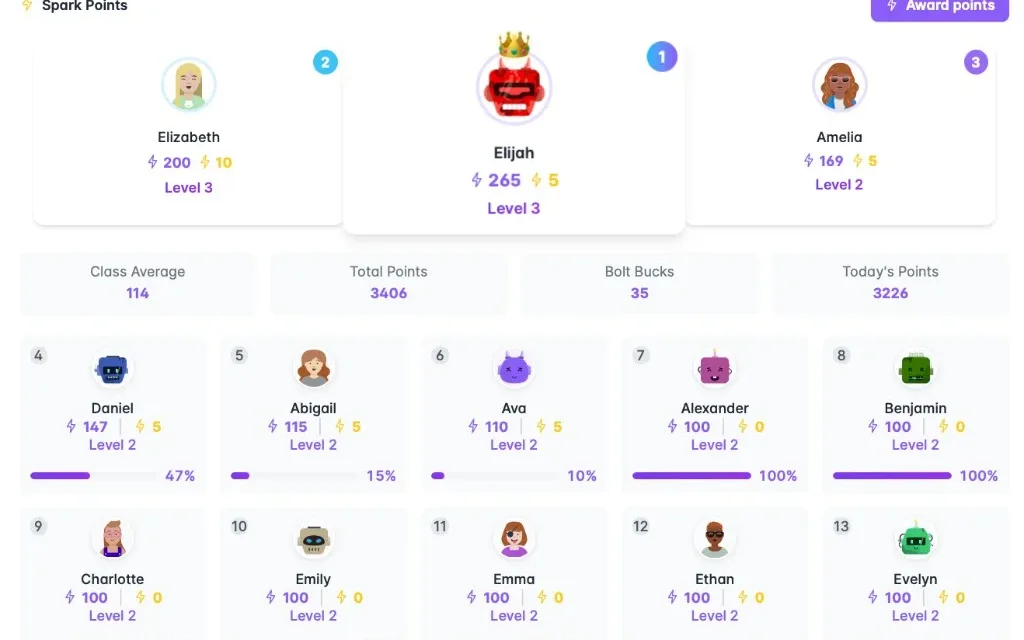
Class points leaderboard with class podium and progress
Dashboard widgets for birthdays, class jobs, and recent achievements
Teacher personal dashboard with today's teaching schedule

Lesson widgets in one place

Lesson widgets let teachers attach materials, set objectives, add bell ringers, and queue exit tickets in one learning space before class arrives. Classroom Hub replaces rewriting the whiteboard and gathering separate resources for every lesson.

The old way
You gather materials, rewrite objectives on the board, set a timer on your phone, and hand out exit slips — four separate jobs before every lesson.
With Classroom Hub
Attach materials, set today's objective, add a bell ringer, and queue the exit ticket in one learning space before the class arrives. When the lesson starts, it's all ready.
my.classroomhub.app
Classroom Hub learning space with materials, objectives, bell ringer, and exit ticket widgets

Seating charts for every lesson

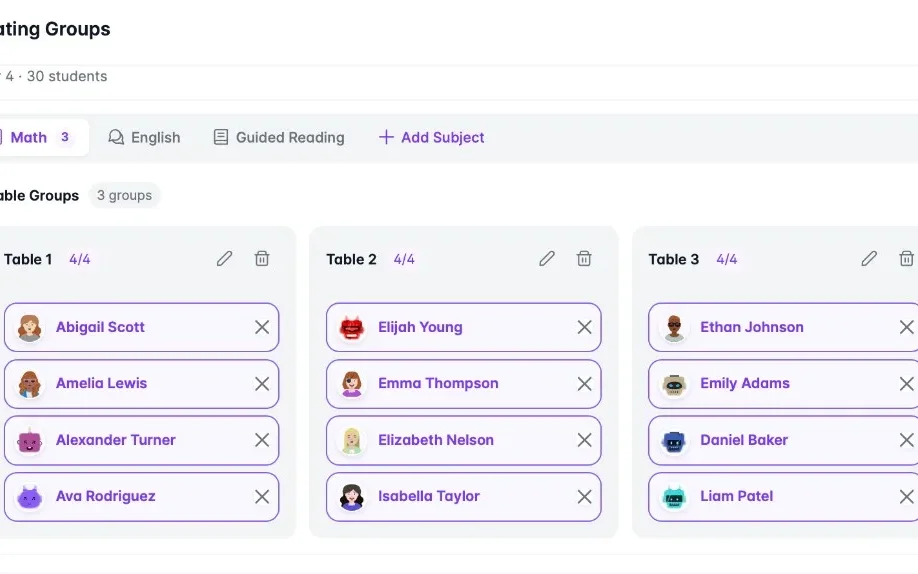
Seating groups save a different table layout per subject — Maths, English, guided reading — and switch between them instantly. Classroom Hub replaces laminated seating plans and sticky-note redraws when groups change between lessons.

The old way
One laminated seating plan has to work for every subject, so when Maths groups don't match guided reading you redraw the layout on sticky notes.
With Classroom Hub
Save a different table layout for each subject — Maths, English, guided reading — and switch between them without rebuilding the plan from scratch.
my.classroomhub.app
Seating groups by subject with table assignments for a Year 4 class

Exit tickets that grade themselves

Exit tickets run live on Classroom Screen at lesson end; students answer on the board and scores sync to the gradebook automatically. Classroom Hub replaces paper exit slips that rarely make it into marks books.

The old way
You collect a pile of exit slips at the door and tell yourself you'll mark them later. Most never make it into your gradebook.
With Classroom Hub
Run the exit ticket on the board at the end of the lesson. Students answer live, you see who understood, and scores go straight into the gradebook category you already set up.
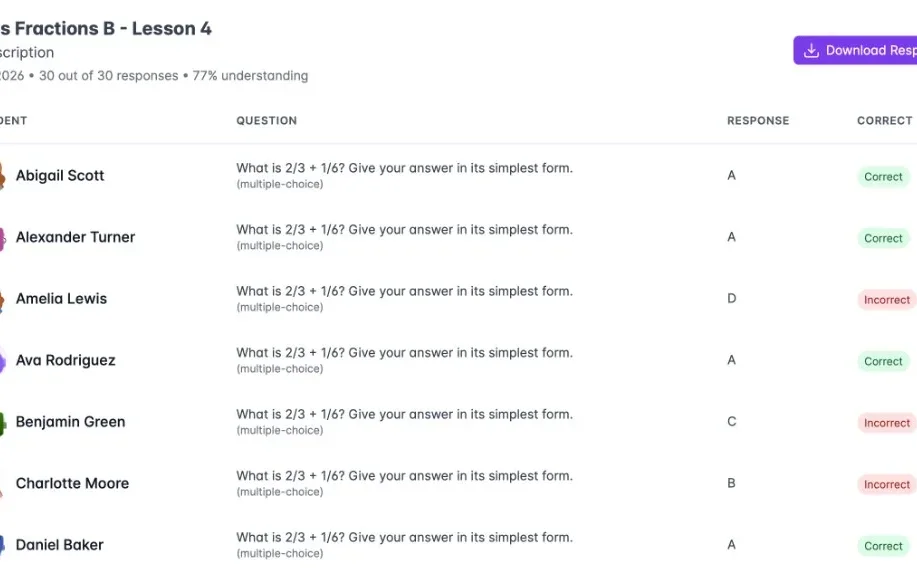
Exit ticket session results showing each student response and correctness
Exit ticket summary with completion rate and average performance
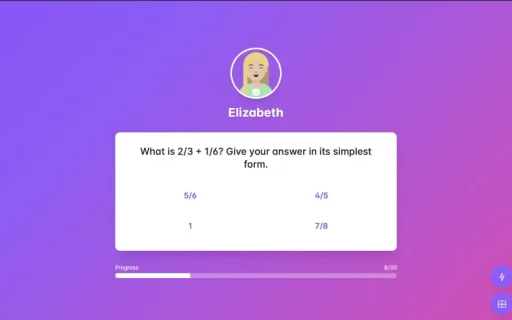
Student answering a fractions exit ticket question on the classroom screen

A gradebook that replaces your spreadsheet

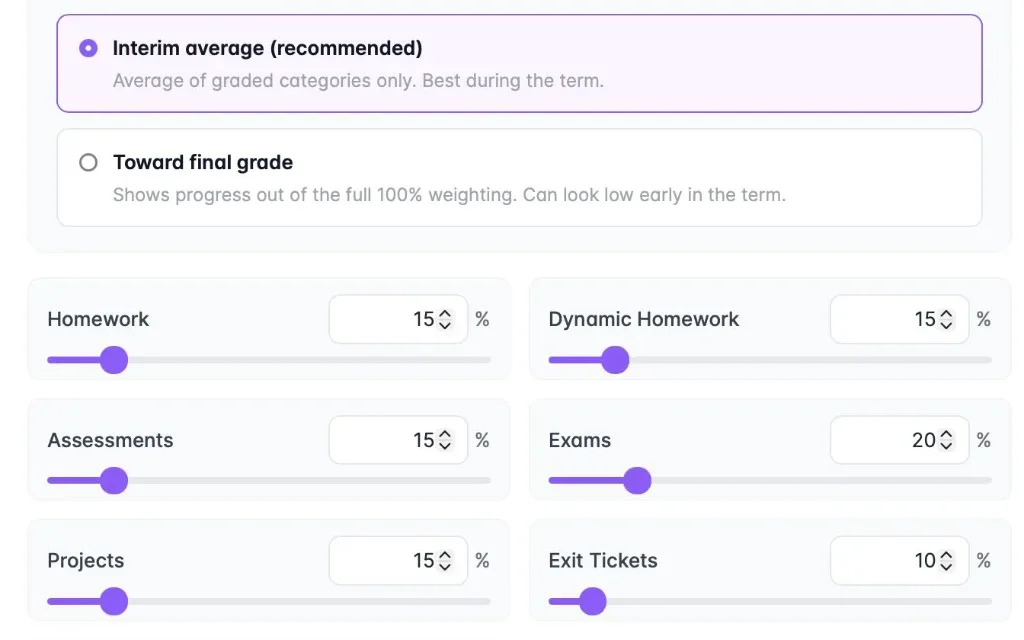
The weighted gradebook sets homework, exam, and exit ticket percentages once with sliders and shows every category per student in one overview. Classroom Hub replaces multi-tab grade spreadsheets and manual formula maintenance.

The old way
Your spreadsheet has separate tabs for homework, exams, and exit tickets, category weights you adjust by hand, and no single view of how a student is doing overall.
With Classroom Hub
Set homework, exams, and exit ticket weights once with sliders. Open any student and see every category in one overview — spot who is slipping before parents' evening.
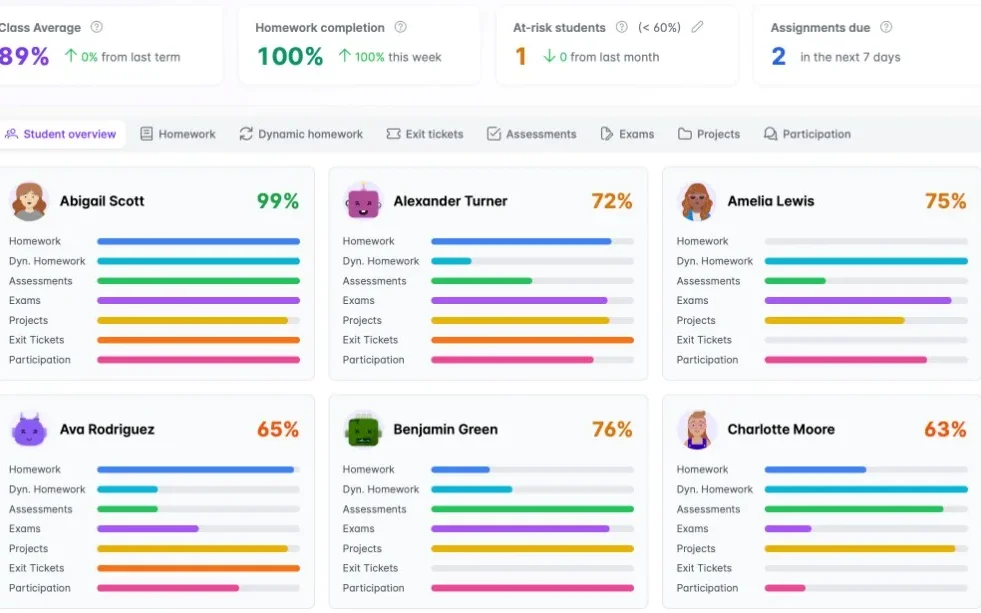
Gradebook student overview with class averages and category progress bars
Individual student performance across homework, exams, and exit tickets
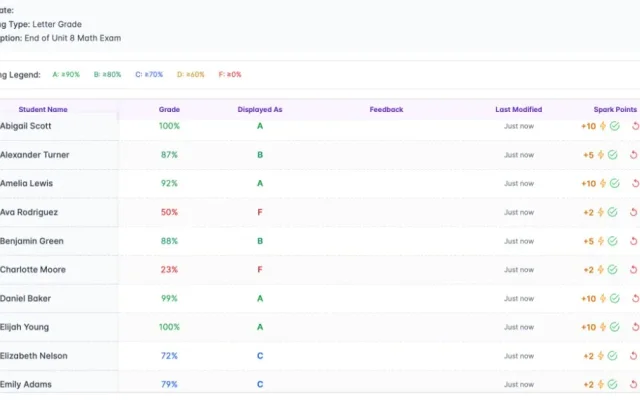
Assignment grades with letter grades and class points
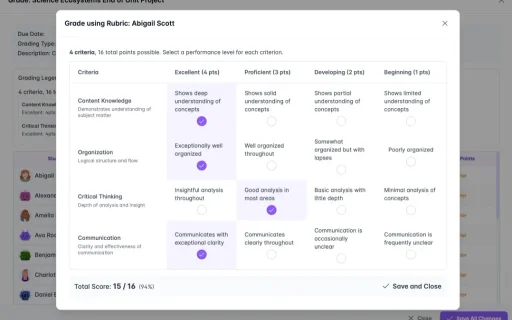
Rubric grading modal with criteria scores

Points that mean something

Class points and the reward store link recognition to student-chosen rewards. Teachers award points from the board; students spend balances in the store — replacing wall charts, manual tallies, and disconnected prize boxes.

The old way
You tally points on a wall chart, settle disputes about who earned what, and run a prize box that never quite connects to the points.
With Classroom Hub
Award class points from the board when someone earns it. Students see their balance and choose rewards from the store — the points chart and prize box, finally linked.
Class points leaderboard with class podium and progress bars
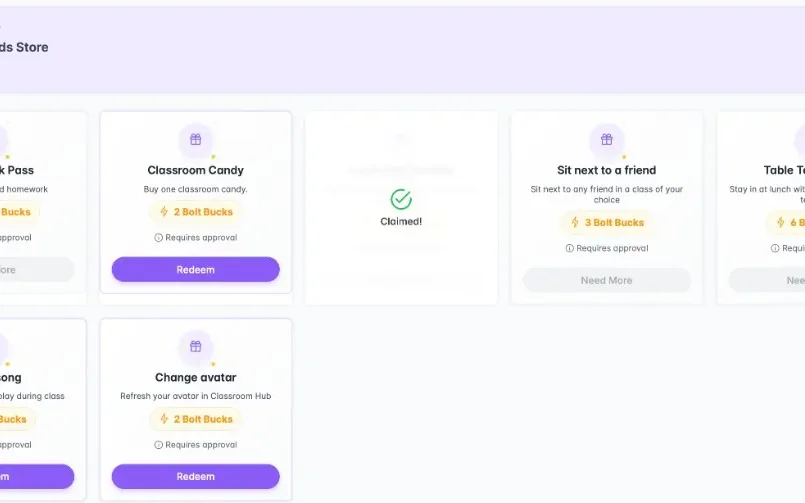
Student reward store with class point redemption options
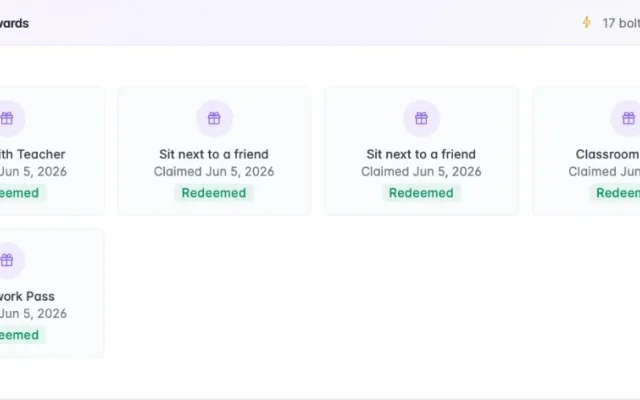
Claimed rewards showing class points spent at the reward store
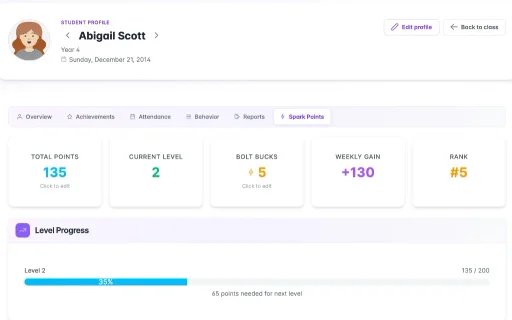
Student class points profile with levels, reward store balance, and rank

Recognition that sticks

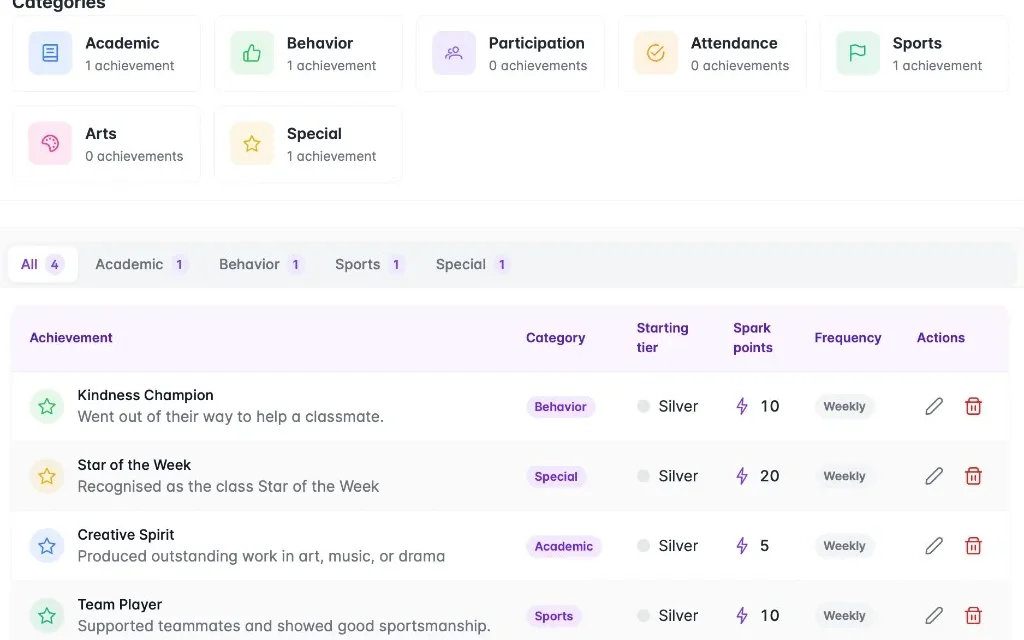
Achievements configure Star of the Week, reading hero, and school-wide awards once; class points add automatically when earned. Recent winners stay visible on the dashboard instead of erased whiteboard names each Monday.

The old way
Star of the Week goes on the board on Friday, gets erased by Monday, and you have to remember to add class points yourself.
With Classroom Hub
Set up Star of the Week, reading hero, or school-wide awards once. When a student earns one, class points add automatically and recent winners stay on the dashboard.
Achievement definitions with categories, tiers, and class point rewards
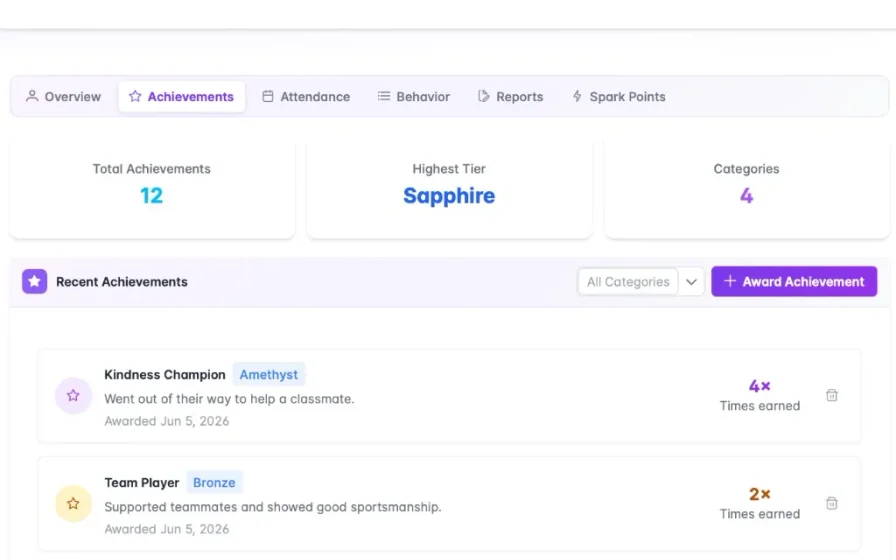
Student profile achievements tab showing tiers and award history
Recent achievements widget on the class dashboard

Behaviour incidents on record

Behaviour incidents log positives, negatives, demerits, and referrals on the student profile with parent contact history in one place. Classroom Hub replaces incident notebooks and separate call logs teachers scramble to find later.

The old way
You jot incidents in a notebook, log parent calls somewhere else, and scramble to find the history when a parent rings back two weeks later.
With Classroom Hub
Log positives, negatives, demerits, and referrals on the student profile as they happen. Parent contact sits on the same record, so you have the full term's story in one place.
my.classroomhub.app
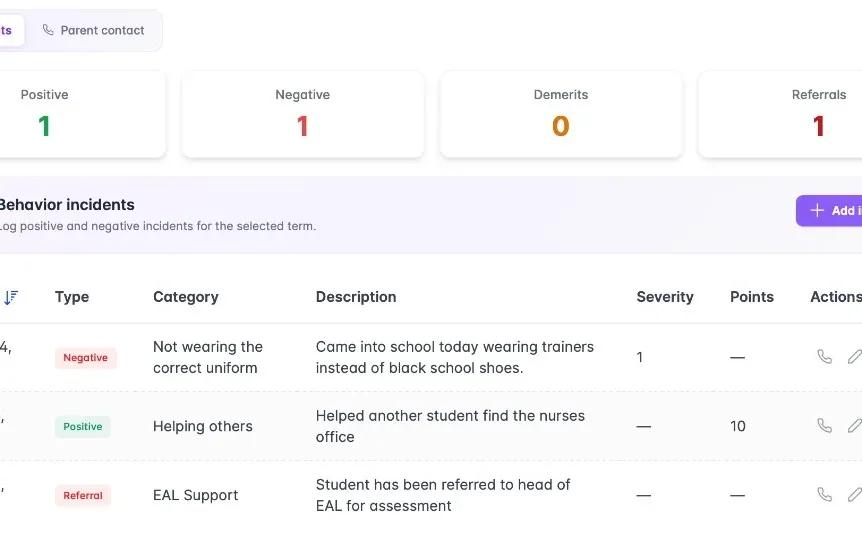
Behaviour incidents log with positive, negative, and referral entries for the term
Explore features

Everything your classroom needs

Classroom Hub groups features into morning routine, lesson time, grades, and recognition — the four daily workflows teachers usually split across wall charts and spreadsheets. Each category shares one connected teacher app instead of separate systems.

Start the day

Morning routine

Morning routine features combine birthdays, homework check-in, and class jobs on one class dashboard. Classroom Hub replaces three separate wall charts teachers update before registration with a single teacher app screen.

  • my.classroomhub.app
    Birthdays, class jobs, and recent achievements widgets

    Your class dashboard

    See upcoming birthdays, this week's jobs, recent achievements, and the class points leaderboard the moment you open the class — the wall charts, on one screen.

  • my.classroomhub.app
    Morning homework check-in with class progress and graded status

    Homework check-in

    Each morning students mark homework in. You see who's done at a glance, and their hand-in status links straight to your gradebook — no tick list on the door.

  • my.classroomhub.app
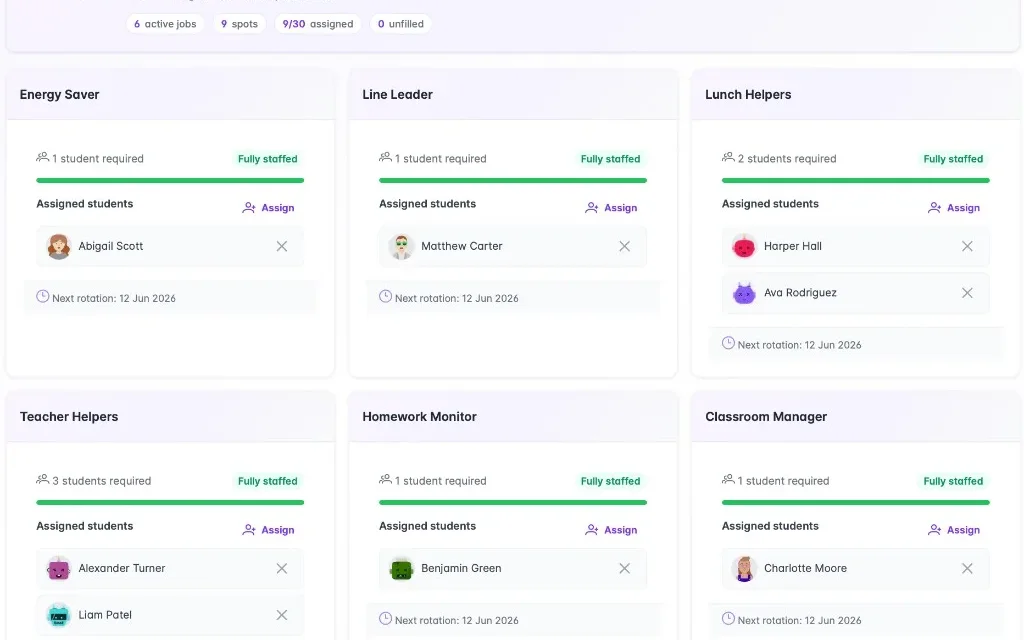
    Class jobs board with assigned students and rotation dates

    Class jobs & rotation

    Set line leader, homework monitor, and the rest from one board. Shuffle fairly for a fresh pick, or let jobs rotate automatically each week.

During the lesson

Teach and check understanding

Lesson-time features include lesson widgets, Classroom Screen, seating groups, and exit tickets connected in one hub. Teachers plan, display, seat, and assess understanding without rewriting whiteboards or collecting paper slips.

  • my.classroomhub.app
    Lesson widget grid

    Lesson widgets

    Attach materials, set today's objective, add a bell ringer, and queue the exit ticket before the class arrives — all in one lesson plan, not scattered on the board.

  • my.classroomhub.app
    Full-screen Classroom Screen with lesson widgets and name picker

    Classroom Screen

    Put objectives, timers, and the fairness-weighted name picker on the classroom display so the whole class sees the same thing — and you stop juggling tabs on your laptop.

  • my.classroomhub.app
    Seating groups for Maths, English, and Guided Reading with table assignments

    Seating groups

    Maths groups, guided reading tables, and science partners can all be different. Save a layout per subject instead of re-drawing the seating plan every time.

  • my.classroomhub.app
    Exit ticket session

    Exit tickets

    Run a quick check at the end of the lesson. Students answer on screen, you see results live, and scores go into the gradebook category you already set up — no stack of slips to mark later.

Grades & homework

Replace the spreadsheet

Grades and homework features replace grade spreadsheets with a weighted gradebook, student overview, and dynamic homework goals. Homework check-in, exit tickets, and daily progress feed one gradebook instead of separate tabs and formulas.

  • my.classroomhub.app
    Gradebook student overview with weighted category progress bars across the class

    Consolidate, compare, and track

    Open any student and see homework, exams, exit tickets, and participation in one view — spot who is slipping in one category before parents' evening, not after.

  • my.classroomhub.app
    Weighted gradebook category sliders for homework, exams, exit tickets, and participation

    Weighted gradebook

    Set homework, exams, projects, and exit tickets to the percentages you want once. Every mark you enter updates the class average — no formula rows to maintain.

  • my.classroomhub.app
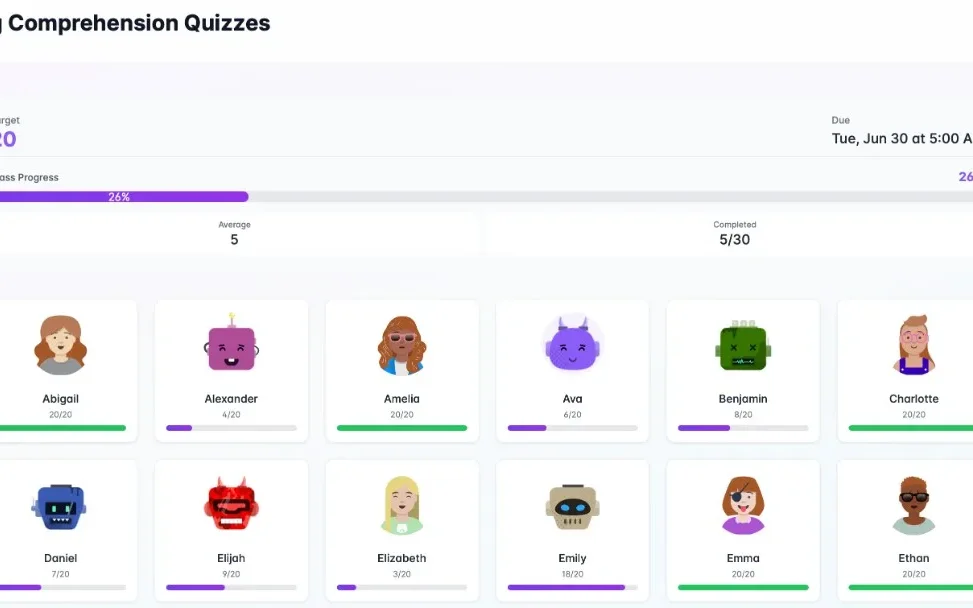
    Reading comprehension homework goal with student progress grid

    Dynamic homework goals

    For reading logs and ongoing targets, students tick progress each day. You see who is on track, and the class can earn class points when they hit the goal — not just a single due date on Friday.

Recognition

Points that mean something

Recognition features link class points, reward store, achievements, behaviour incidents, and custom avatars in one system. Classroom Hub replaces points charts, prize boxes, Star of the Week boards, and incident notebooks with connected digital workflows.

  • my.classroomhub.app
    Behaviour incidents table with positive, negative, and referral entries

    Behaviour incidents

    Log positives, negatives, demerits, and referrals on the student profile as they happen — with the term's history in one place instead of a separate incident book.

  • my.classroomhub.app
    Select students to award class points with levels and progress rings

    Class points & reward store

    Give class points from the board when someone earns it. Students see their balance and choose rewards from the store — the points chart and prize box, digital and connected.

  • my.classroomhub.app
    Student achievements list with tiers and times earned

    Achievements

    Set up Star of the Week, reading hero, or school-wide awards once. When a student earns one, class points add automatically — no rewriting the board or updating the jar.

  • my.classroomhub.app
    Student avatars

    Custom avatars

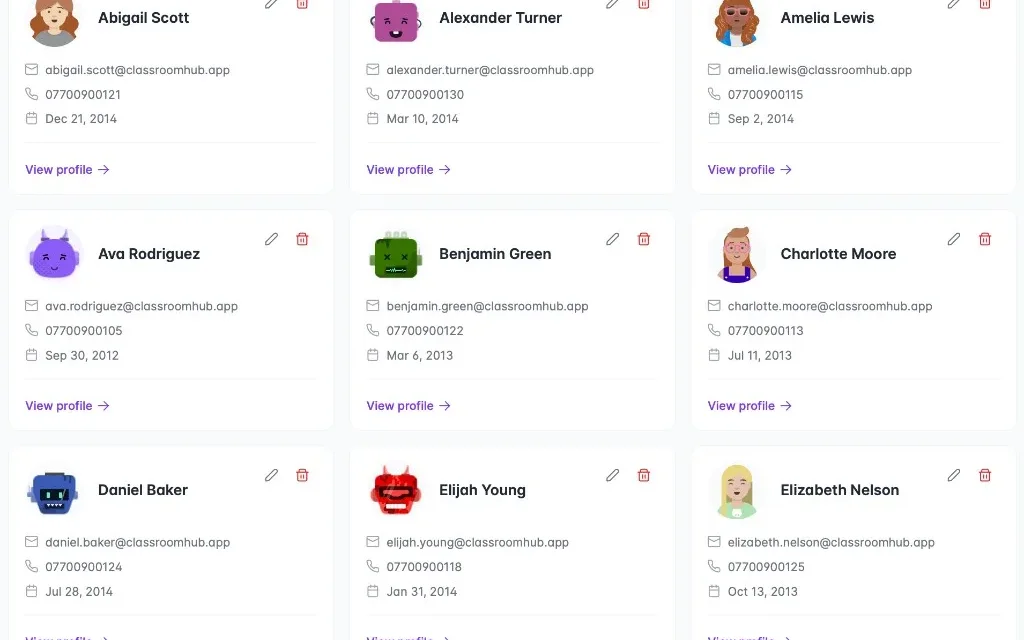
    Every student picks a robot or human avatar that follows them across homework check-in, points, and profiles — so you know who is who at a glance on the board.

FAQ

Common questions

Quick answers about Classroom Hub as a classroom management tool for teachers.

How does Classroom Hub improve classroom management?
Classroom Hub replaces wall charts, homework tick lists, and grade spreadsheets with one connected teacher app. Morning dashboard, Classroom Screen, weighted gradebook, class points, and reward store share data automatically — so teachers manage routine, lessons, grades, and recognition without switching between six separate systems.
Is Classroom Hub optimized for diverse or EAL classroom environments?
Classroom Hub is built by international teachers for primary and secondary classrooms worldwide. Visual dashboards, Classroom Screen widgets, custom avatars, and fairness-weighted name picking reduce language barriers. Teachers configure objectives, homework goals, and seating groups per subject without rebuilding wall charts for every class.
What does the 14-day free trial include?
The 14-day Pro trial includes every Classroom Hub feature: unlimited classes and students, class dashboard, homework check-in, Classroom Screen, seating groups, exit tickets, weighted gradebook, class points, reward store, achievements, behaviour incidents, and end-of-term reports. No credit card is required to start.
How does Classroom Hub replace wall charts and spreadsheets?
Classroom Hub maps each classroom wall system to a digital equivalent: birthday charts become dashboard widgets, homework lists become morning check-in linked to the gradebook, points jars become class points with a reward store, and grade spreadsheets become a weighted gradebook with student overview — all in one web-based teacher app.
Does Classroom Hub work for both primary and secondary school teachers?
Yes. Classroom Hub is built for primary and secondary classrooms. Primary teachers use the class dashboard, homework check-in, class jobs, and achievements for daily form-group routines. Secondary teachers use lesson widgets, seating groups per subject, exit tickets, and the weighted gradebook across multiple classes throughout the day. Both benefit from one connected app instead of separate wall charts and spreadsheets for each class.
How does the Classroom Screen work during a lesson?
Classroom Screen opens in a browser tab and projects onto the classroom display. Teachers arrange widgets — objectives, bell ringer, countdown timer, and name picker — before the lesson starts. The fairness-weighted name picker calls on quieter students more often. At the lesson end, students answer the exit ticket on the screen and results sync to the gradebook automatically — no paper slips or manual entry needed.
Can I use Classroom Hub with multiple classes?
Yes. Classroom Hub is built for teachers who manage several classes across a school day. Each class has its own dashboard, seating groups, gradebook, class points, and reward store. There is no limit on the number of classes or students — the annual plan includes unlimited classes from the first day of the free trial.
What happens to my data if I cancel my subscription?
Your account enters a grace period and all data is retained for 90 days after cancellation. During that window you can export gradebook entries, attendance records, and class data. After 90 days, all student personal data is permanently deleted in line with our UK GDPR commitments. No data is sold to third parties.
Does Classroom Hub need any special software or hardware?
No. Classroom Hub runs in any modern browser on a laptop, Chromebook, desktop, or tablet — no app download required. The Classroom Screen projects from a browser tab onto your existing classroom display. An internet connection is required; there is no offline mode. Students only see the Classroom Screen projection and do not need their own accounts or devices.
How does the weighted gradebook work?
The weighted gradebook lets teachers set a percentage for each assessment category — homework, exams, projects, exit tickets, and participation — using sliders. Every mark entered updates the student's weighted average automatically. The student overview shows all categories side by side so teachers can spot which area a student is struggling in before reporting week, without maintaining formula rows in a spreadsheet.
Try it free

14 days. Full access. No credit card.

Classroom Hub offers a 14-day Pro trial with full access to every feature — class dashboard, Classroom Screen, gradebook, class points, and reward store. No credit card is required to start, and teachers can run a real class before subscribing.

  • 14-day Pro trial

    Full access. No credit card required to start.
  • One simple plan

    Everything in the app — no feature tiers to compare.
  • Replaces the wall charts

    Morning dashboard, lessons, grades, class points, and your reward store in one hub.

Start 14-Day Free Trial

No credit card required · Cancel anytime · Built by Teachers for Teachers